Furniture Plus
Furniture Plus
Buying a good chair solves half the problem. The other half is how it's set up relative to your desk and screen — and this is the part most people skip entirely, which is why back and neck pain often persists even after upgrading to a proper ergonomic chair that should have fixed it on its own.
Here's a practical, step-by-step way to set the whole workstation up correctly, not just the chair on its own, in the order that actually matters for getting it right the first time.
Step 1 — Set the chair height first. Sit with feet flat on the floor and adjust until your knees form roughly a 90° angle. Don't adjust the chair to match the desk yet — get your body position right first, since this is the foundation everything else is built on.
Step 2 — Match the desk to the chair, not the other way around. Your elbows should rest at roughly desk height when typing, forming close to a 90° angle. If your desk is fixed and too high or low for the chair height you need, a footrest or a desk riser can bridge the gap rather than compromising your seat height, which is the harder thing to get right in the first place.
Step 3 — Position the screen at eye level. The top of your monitor (or laptop screen, ideally raised on a stand) should sit roughly at eye height, about an arm's length away. This single adjustment prevents more neck strain than almost anything else on this list, and it's the step most people get wrong with laptops specifically, since the built-in screen sits far too low by default.
Step 4 — Set armrests to support, not lift. Adjustable armrests should meet your forearms at typing height without pushing your shoulders up — if your shoulders are shrugging, the armrests are too high, and this small misalignment builds real tension over a full day even though it feels minor at first.
Step 5 — Confirm lumbar contact. Sit fully back in the chair and check that the lumbar support is actually pressing against your lower back, not sitting above or below it — a quick check that's easy to do but easy to forget after the initial setup.
If you share a desk with someone else, or use the same chair across a shift change, it's worth agreeing on default settings that work reasonably well for both people, or clearly noting each person's ideal adjustment points so resetting the chair correctly doesn't take longer than it should each time.
It's worth redoing this full check every few months, or any time you change desks, chairs, or notice new discomfort — small drifts happen naturally, and a five-minute recheck catches most issues before they become genuine pain.
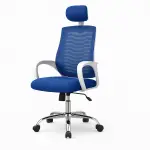
A chair with a wide, reliable adjustment range makes this whole process much easier — our Ergonomic Chair collection is built specifically around this kind of full-range adjustability, from ৳6,000 upward. For the reasoning behind each step, see our How to Sit Correctly guide.
🛒 Browse the full Ergonomic Chair collection or see our complete range from the homepage, with a 1-year warranty and fast delivery across Bangladesh.